
My Home Lab Started With a Borrowed Raspberry Pi
, 5 min read
A borrowed Raspberry Pi, a NAS that mostly sat there, and AI as the way in. How my home lab actually started.
For years, the main reason I rooted my phones was to block ads. Root access unlocked plenty of things, but the one I cared about was a system-wide ad blocker that actually worked, and when rooting became more trouble than it was worth, I settled for browser extensions and the handful of apps that could filter ads without it. None of it was ever quite enough, and every new device meant starting over.
That small, slightly nerdy obsession turns out to be the thread running through everything I now run at home. This is the first post in a series about that setup, and it starts well before any of the interesting hardware, with a borrowed Raspberry Pi.
A Pi that came with a farewell
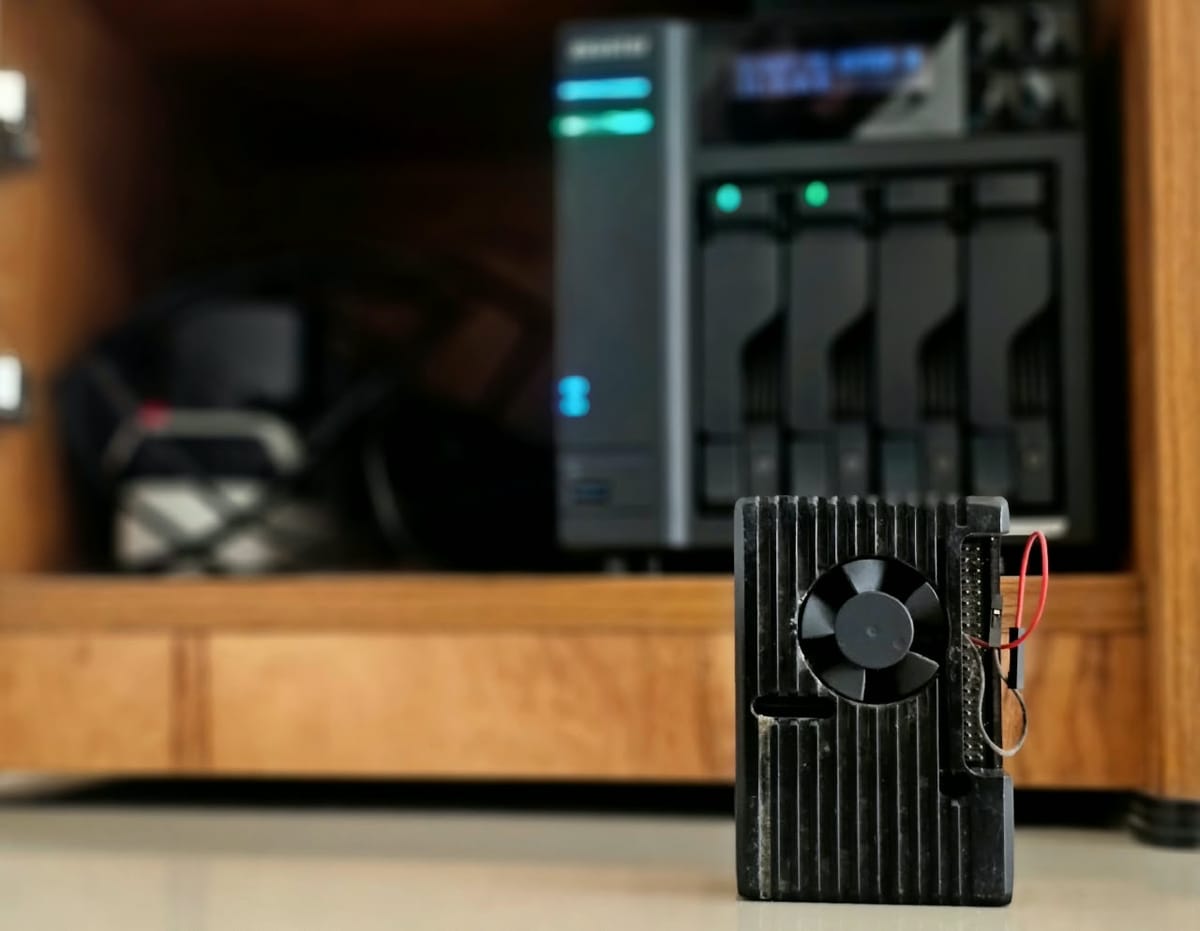
When a friend moved to Germany, his Raspberry Pi 4 stayed behind with me. I had already read about Pi-hole, which blocks ads for every device on the network by refusing to look up the domains that serve them, and here was the hardware to try it on. It went onto the Pi almost immediately and has been part of my network ever since. For the first time, the phone, the laptop and the TV were all covered at once, and I did not have to root anything.
The Pi lived in a metal case with a small fan, and I learned to tell how dusty it was by how loud that fan got. It sat next to the Airtel modem and the router, and all three had their own battery packs that switch over instantly when the power drops. In Kerala that is less a luxury than simply how you keep the internet up through an afternoon of power cuts, and it meant the ad blocking survived them too.
The box that just sat there
The NAS arrived with a clear and modest plan. It would hold a home media library, with my DVDs and Blu-rays copied onto it, and it would keep our photos and home videos backed up somewhere other than a phone. I put in two large hard drives as a mirror, so either one could fail without losing anything, plugged it into the network next to the Pi, and then mostly left it alone. It did its one job quietly and I barely thought about it.
It did get a name, though. I called it the Dungeon, partly as a nod to where dragons keep their hoard, and partly because a dungeon is where you keep things of a slightly nefarious kind. At the time that was more ambition than description.
Time, and a way in
In April 2025 I stepped out of full-time work, and for the first time in a long while I had room to look properly at what was sitting on that shelf and what it could do. The timing mattered for a second reason. AI assistants had become good enough to work through a technical problem with me, step by step, and I am honest enough to say I would not have started with Docker without them.
That is what opened it up. I could describe what I wanted in plain words, get a working container out of it, break it, and ask why it broke. From there I found Portainer, which made the containers manageable, and before long I had a "homelab" stack running Pi-hole and a growing list of other services on the NAS itself. The Pi's job moved onto the same box. That made everything a single point of failure, which I would learn about the hard way, but it was also the moment this stopped being a chore and became something I genuinely enjoyed figuring out.
Designing for my own house
The part I enjoyed most was making decisions no tutorial made for me. The NAS had the mirrored hard drives and a pair of SSDs, and I wanted each doing the work it was suited to. All the apps run from the SSDs, where they are fast and where constant small writes do no harm. Large downloads land on the SSDs first and move across to the hard drives only once they are complete, so the spinning disks are not being hammered by thousands of tiny writes for hours at a time. It is a small thing, but it is the kind of choice you only make once you understand your own setup rather than copying someone else's.
The memory upgrade was another. The documentation said the NAS supported a maximum of 16GB. I put in two 16GB sticks anyway, and it has run happily with 32GB ever since. I also bought the SSDs and the RAM just before memory prices went through the roof, which in hindsight was the best timing of the whole project. The same build today would cost an arm and a leg.
The first thing I broke
Once ad blocking lived on the NAS, the privacy side pulled me further in. Blocking ads is one thing, but every lookup Pi-hole passed on was still going out in the open, readable by anyone along the way. So I learned about DNS over HTTPS, which wraps those lookups in the same encryption as a normal website, and set it up using Cloudflare's small cloudflared proxy between Pi-hole and the internet.
It worked well until the feature I relied on was deprecated. I did not notice, because nothing told me, and one day a careless update, pulling the latest image of everything without looking, quietly broke name resolution for the whole house. That was the lesson that stuck. Today every service I run is pinned to a specific version, and nothing updates unless I decide it should.
The Plex War
The media library, the one thing the NAS was actually bought for, turned out to be the most frustrating part. Plex is what everyone recommends, and it simply never worked smoothly for me. I spent months debugging it, fixing one thing only for something else to go wrong, while the interface got busier and more of what I wanted sat behind a subscription. Eventually I stopped fighting it and moved to Emby, which has been the house's media server since. Jellyfin is on the list to look at someday, but for now the war is over and the films just play.
Where it ended up
A year and a half on, the box that used to just sit there runs most of the house. It blocks ads for every device, encrypts our DNS, serves our media and music, keeps our passwords, hosts this blog, and now keeps my food diary too. It also watches itself. A small Python script I wrote reads the Airtel modem and the router, Grafana turns that into a dashboard, and when something at home goes wrong, like the mains power dropping or the internet connection resetting, it sends me a message.
Getting there involved a lot of learning, failing and setting things up again, including taking down the whole house's internet more than once. The rest of this series goes through it piece by piece, starting with how everything is organised on the box, and why that organisation exists because of one very unhappy person working from home when I broke the Wi-Fi.